
Leganto July 2025 Release Notes
August 2025 Sneak Preview
-
Access items using Unpaywall
Main Features
Separate All Lists and My Lists Search
July 2025 Leganto URM-213741
To improve usability,My lists and Lists catalog are now displayed as two separate pages selected by tabs rather than drop down search scopes, making the two options more visible to users.
As before, when configured (see Deleting Lists), the My lists page Filter includes archived and deleted filters.
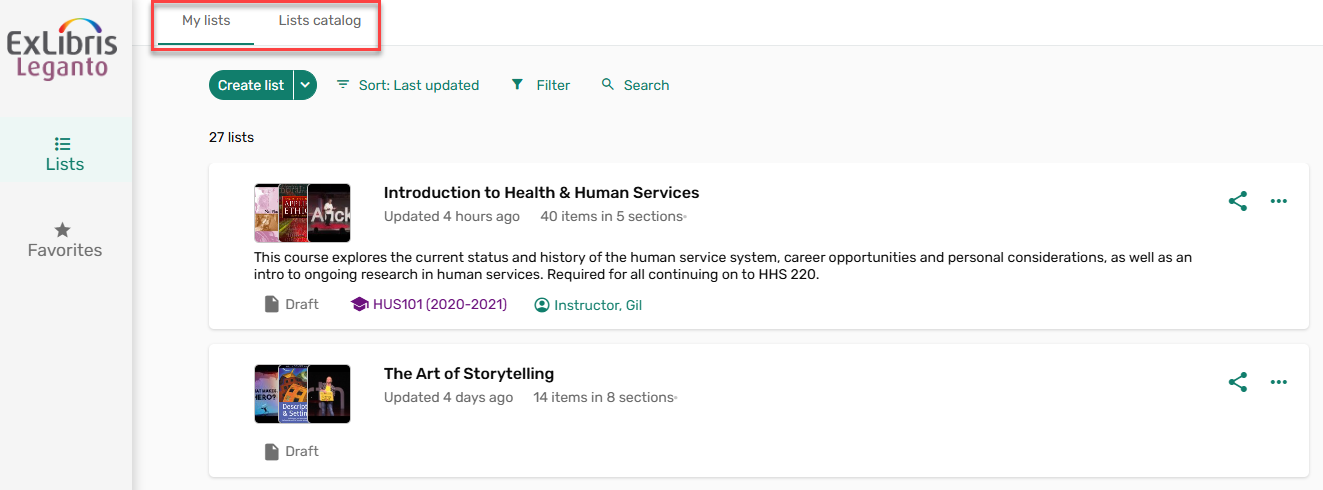
By default, the Search field is expanded on the Lists catalog tab. The search results are dependent on whether or not a user is logged in. As before, guest users have a Log In button.

Syllabus Assistant: AI Assisted Indication in Alma
July 2025 Leganto URM-245269
Lists created in Leganto using the syllabus assistant, including paste references now include an AI Assisted indicator in Alma.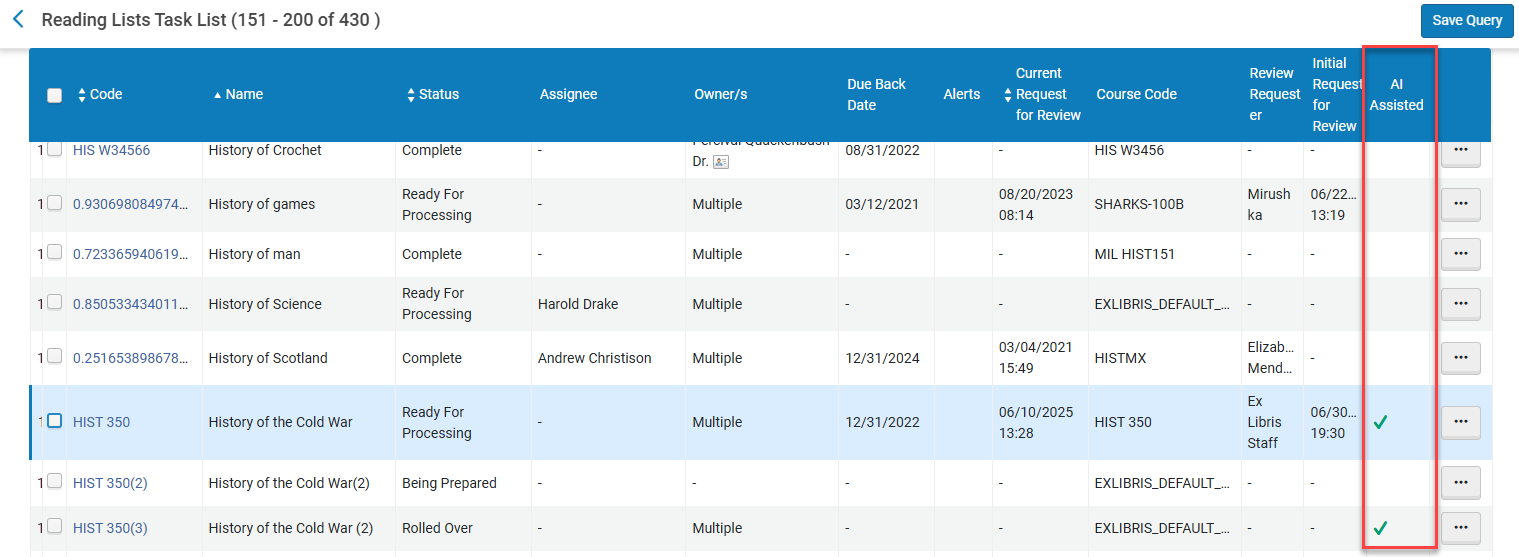
Reading lists in Alma can also be faceted by AI Assisted, values:Yes/No.
Citations created in Leganto using the syllabus assistant, including paste references also include an AI Assisted indicator in Alma.
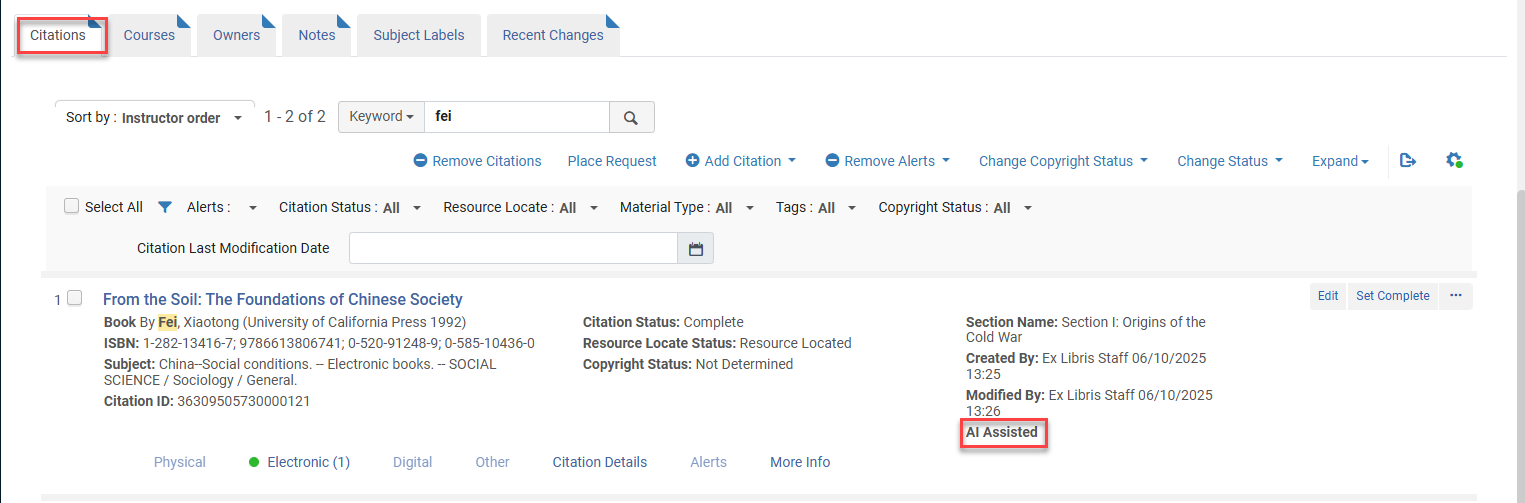
These AI Assisted indications are hidden by default. Use the customization wheel to enable these indications.
Syllabus Assistant: Instructor Can Upload File for Library Review
July 2025 Leganto URM-245255
It is now possible for instructors to send files containing reading list information to the library using the AI syllabus assistant. The library can review the list and perform any required cleanup work on behalf of the instructor. When an instructor selects Ask your library to create your list and the parameter lms_upload_file(Configuration > Leganto > List Management > List Creation) is set to assistant, the uploaded file is run through the AI syllabus assistant to create a list for the library to review.
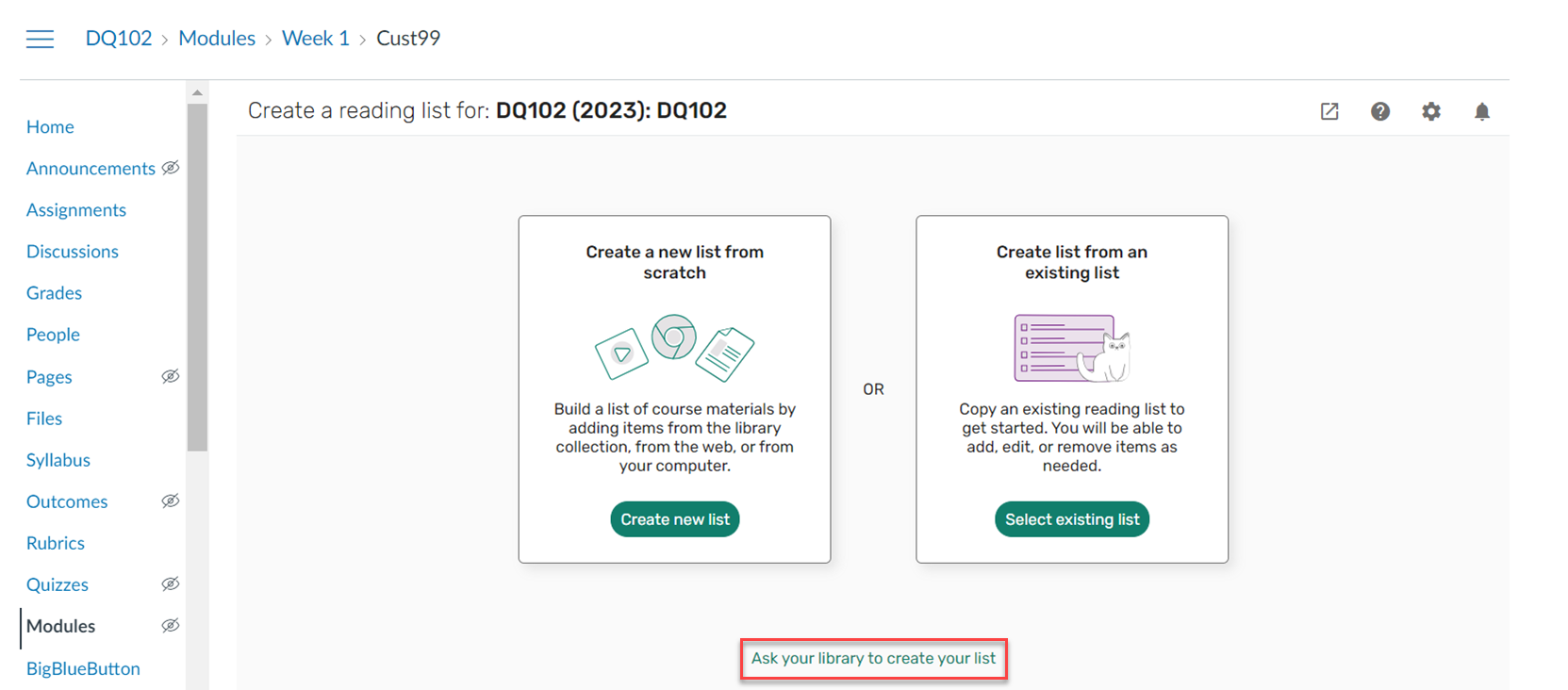
The AI Syllabus Assistant uses Large Language Models (LLMs) to process the content. Your input is not stored by the LLM or used to train the LLM.
The instructor does not immediately see the list and does not see any error messages. If there are any errors in creating the list, the list is created with a single citation containing the file. The only indication the instructor receives that the list is created using the AI Syllabus Assistant is from the Privacy and disclaimer information displayed in Leganto when they upload their list information.
If you prefer to have instructors send files to the library and not use the syllabus assistant, you can continue to set the parameter lms_upload_file(Configuration > Leganto > List Management > List Creation) to true. A list is created with a single citation containing the file, not using AI. When set to false, instructors do not have the option to send a file and have the library create the list.
For more information, see The Quick Start Welcome Screens (LTI).
Additional Enhancements
July 2025 Leganto URM-245268 The Leganto list creation options have been moved to a dedicated configuration table. The List Creation table (Configuration > Leganto > List Management > List Creation) includes all the list creation options available from the standalone view (leganto_create_list,leganto_import_syllabus) and when accessing Leganto from the LMS (lms_create_list,lms_existing_list,lms_upload_file). Your configurations are copied to the new table.
July 2025 Leganto URM-189978 When a copyright or digitization request is placed, the Chapters field in the request form now auto-populates when the citation contains data in the Chapter number field.
July 2025 Leganto URM-248367 For institutions using the page range 2-10 fields for a specific material type, the additional page range fields are now only open when using the + Page range option . When in edit mode, the + Page range option is displayed at the bottom of the main citation metadata fields, before the More item details toggle. This modification to enhancement request 8145 was requested by the community.
July 2025 Leganto URM-244957 For Norwegian customers who use Bolk, when a list has at least one Bolk request there is a new option in Alma to Finalize in Bolk. It opens a link to the Bolk system, where the user can finalize the list. Once the list is locked, the action is replaced with Reveiw in Bolk.
July 2025 Leganto URM-232904 For Norwegian customers who use Bolk, when a list is deleted in Alma or Leganto, Bolk requests for that list are now also deleted in Bolk.
July 2025 Analytics URM-245327 The Event Type field was added to Leganto Student Usage > Student Usage. It displays the type of event that occurred in Leganto. For more information, seeStudent Usage.
Resolved Issues
| SF number | Description |
|---|---|
| 08046331 URM-252143 | Previously, View new edition was visible to students. This was fixed. |
| 0802313 URM-247560 | Previously, importing citations with special characters was not recognized by the AI assistant. This was fixed. |
| 08039372, 08041235 URM-249656 | In some cases, an error occurred when exporting citations to Word using the APA bibliographic style. This was fixed. |
| 08020482 URM-249988 | In some cases, when running the Course Loader, some courses were not rolled over. This was fixed. |
| 08024445, 08025351 URM-248547 | Previously, the Workflow note contained incorrect formatting. This was fixed. |
| 08014557 URM-248224 | In some cases, the filter Apply button was not visible. This was fixed. |
| 08001714 URM-247946 | Previously, hidden links were displayed when copying links into the same list. This was fixed. |
| 07997837 URM-247822 | Previously, the brief citation page range field formatting was incorrect. This was fixed. |
| 07998412 URM-247706 | Previously, the Help icon was displayed even when no links were configured. This was fixed. |
| 07997857 URM-247486 | Previously, when Page ranges 2–10 (Configuration > Leganto > UI > Citation Field Mapping) was enabled, the Start page and End page fields in the Book Extract type More Details section were displayed on separate lines. This was fixed. |
| 07842756 URM-247444 | In some cases, the Course Reserves Automatic Statuses were inconsistently applying statuses to citations when copying sections into the same list or a new list. This was fixed. |
| 07873686 URM-246904 | Previously, when updating a course, the old searchable ID was not deleted. This was fixed. |
| 07965146 URM-246813 | Previously, the instructor Preferred Name was displayed inconsistently. This was fixed. |
| 07967793 URM-246173 | Previously, the More details option was displayed even when none of the citation fields were enabled (Configuration > Leganto > UI > Citation Field Mapping). This was fixed. |
| 07854170 URM-246143 | In some cases, the Course Bulk Update job did not generate the Leganto Notification email letter. This was fixed. |
| 07942255 URM-245656 | In some cases, the library search in Leganto library holdings was not displayed. This was fixed. |
| 07900205 URM-242715 | Previously, the Sign in link was not displayed on the Links & availability tab when the primove_getit parameter (Configuration > Leganto > Discovery > Primo Settings) was set to false. This was fixed. |
| 07868562 URM-240353 | Previously, when dragging and dropping an item from the clipboard, the exact location where the item would be dropped was not displayed. This was fixed. |
| 07803342 URM-237281 | Previously, when importing citations from Zotero, not all citations were imported. This was fixed. |
| 07733590, 07773072, 07793338, 07807913 URM-237089 | Previously, the drag-and-drop functionality in expanded view did not work as expected. This was fixed. |
| 07101332 URM-218961 | Previously, in Summon search results with Type: Book, the Book filter value was missing. This was fixed. |
| 06981828, 07089815 URM-212531 | In some cases, the URL in the Leganto Document Delivery Letter did not work. This was fixed. |
